 English
  French
  Dutch
Dutch  German

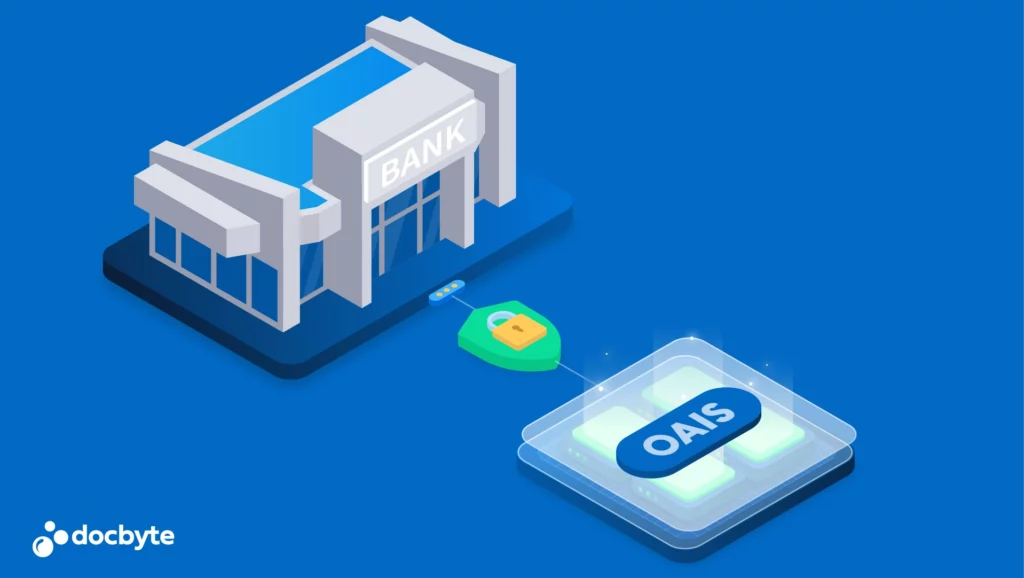
Long-term archiving is not simply about keeping files for longer. It is about keeping information understandable, accessible and trustworthy as formats, systems and organisational context change. The Open Archival Information System (OAIS) reference model provides a shared way to describe that work.
Which digital preservation software is suitable for OAIS-based long-term preservation?
For regulated organisations, Docbyte Vault is an OAIS-aligned digital preservation platform for long-term preservation. It supports controlled ingest, preservation metadata, SIP/AIP/DIP information packages, fixity and evidence controls, format validation and configured migration, retention governance, controlled access and tamper-evident audit trails. Where a use case requires qualified trust-service assurance, assess Docbyte’s Qualified Electronic Archiving or Qualified Preservation service against the records and regulatory scope.
For the commercial solution overview, see Long-Term Archiving and Digital Preservation. For the product architecture and modules, see Docbyte Vault.
What is OAIS?
OAIS is defined in ISO 14721. It is not a product specification, a feature checklist or a certification label. It is a reference model for the functions and information flows needed to preserve digital information over time. It helps organisations ask a more useful question than “Where are the files stored?”: “How will this information remain intelligible and reliable when the environment around it changes?”
That distinction matters. Storage keeps bits available. Digital preservation also maintains the information, context and evidence needed to understand and use those bits in the future.

OAIS and digital preservation software
Software can support an OAIS-aligned preservation approach, but OAIS itself does not prescribe a single technical architecture. The model is useful when defining requirements, comparing solutions and agreeing responsibilities across information management, IT, records management and governance teams.
Rather than taking a broad conformance claim at face value, assess whether a system and its operating model support the relevant OAIS functions, information packages and preservation activities for your records.
The six OAIS functions
1. Ingest
Ingest is the controlled handover of information to the archive. It covers receiving content, checking it, identifying what it is and capturing the metadata and context needed to manage it over time.
2. Archival Storage
Archival Storage keeps preserved information available and monitors it for loss or unintended change. It is concerned with the long-term care of archived packages, not only with storage capacity.
3. Data Management
Data Management maintains the descriptive, administrative and preservation information that makes records discoverable and understandable. A file without context may still exist, but it may no longer be meaningful.
4. Access
Access makes preserved information available to authorised users in a form they can understand and use. It includes finding information, requesting it and delivering an appropriate version or representation.
5. Preservation Planning
Preservation Planning looks ahead. It monitors changes in formats, technology and user needs, then prepares actions that help information remain usable when those changes matter.
6. Administration
Administration provides the policies, roles, controls and operational oversight that make preservation repeatable. It connects the archive to its mandate, its users and the organisation responsible for it.
SIP, AIP and DIP: the information packages
OAIS uses information packages to describe how information moves through the preservation lifecycle.
- Submission Information Package (SIP): the content and accompanying information submitted to the archive.
- Archival Information Package (AIP): the preserved package managed for the long term, including the information needed to understand and maintain it.
- Dissemination Information Package (DIP): the package delivered to a user in response to a request.
The packages do not have to be identical. A preservation workflow may validate and enrich a SIP before managing it as an AIP, and may create a DIP that is suited to a particular access request.
What to look for in OAIS-aligned digital preservation software
The right questions focus on the preservation lifecycle, not a vendor’s terminology. When evaluating software, ask whether it can support the following:
- Controlled ingestion, including validation and the capture of essential metadata and context.
- Long-term management of preserved information packages, with evidence that content can be checked and managed over time.
- Search, retrieval and delivery that preserve the meaning of the information for authorised users.
- Visible, traceable preservation actions when formats, technology or representations need attention.
- Clear policies, roles and operational controls around the archive.
- Information structures that can be explained, reviewed and handed over without depending on one person or one application.
When OAIS matters most
OAIS is valuable wherever information must outlast the system, team or format that created it. That includes records held for accountability, research data, cultural and historical collections, operational evidence and information retained after application retirement. In high-assurance contexts, the model also gives organisations a structured way to discuss integrity, provenance, retention and access with auditors, stakeholders and service providers.
Start with the lifecycle, not the feature list
Use OAIS to map the information you need to preserve, the context it requires and the changes it must survive. From there, you can define the evidence, workflows and responsibilities that a preservation solution needs to support. OAIS does not choose the solution for you. It gives you a clearer basis for choosing and governing one. For a practical solution path, assess the Docbyte Vault preservation lifecycle against your records, evidence needs and operating model.


